Kyberna Guard More features are coming
Every model, every agent, under your rules.
Kyberna Guard checks what every model and agent does in Kyberna before it happens. A risky step, or one off your task, waits for your answer, and you can pause or stop everything at once. Kyberna's own models stay in the folders you chose, and mail and web pages reach the model marked as someone else's words, not yours. The browser never types a password, pays or accepts terms for you. Kyberna saves your files before a model or agent changes them, so you can put them back.
Privacy Protection
Frontier models can't see your personal data.
Kyberna redacts personal information before it reaches a model. Kyberna uses a built-in model and sophisticated techniques to find it. Kyberna redacts names, emails, phone numbers, street addresses, IP addresses, card numbers, IBAN bank account numbers, Social Security numbers, and individual taxpayer identification numbers. Kyberna returns the real values so you can see them. You keep your personal data where it belongs—with you.
Rogue Agent Protection
Kyberna watches an agent's every move and stops it in its tracks.
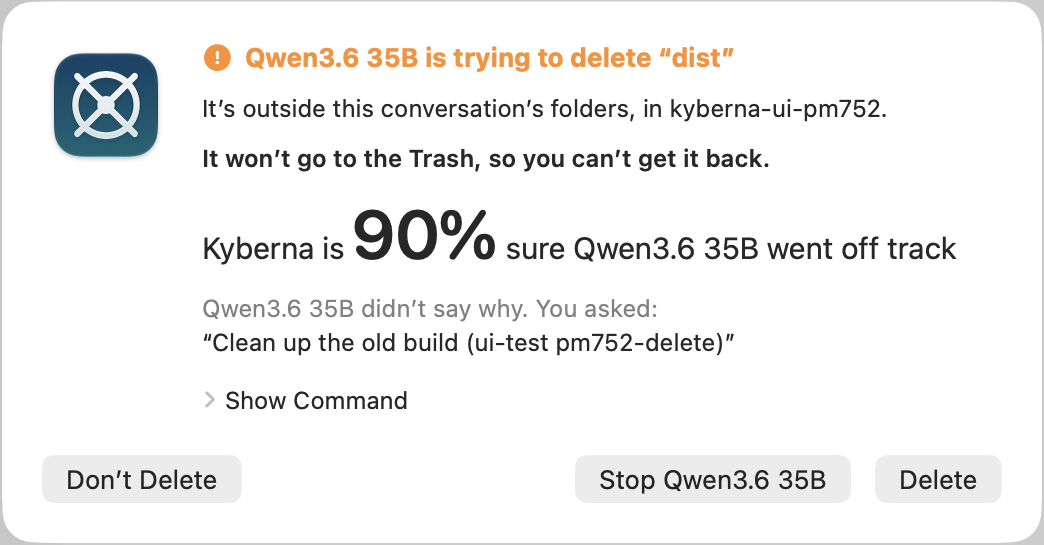
Kyberna blocks a harmful or off-task step by a model or agent before it runs. For example, reaching for your passwords, deleting outside the conversation's folders, tampering with Kyberna's safeguards, or performing a task you didn’t ask for. Kyberna not only tells you what the agent is trying to do but also provides a confidence score.
Protected Folders and Files Coming soon
Sacred cows protected at all costs.
Settings › Folder Access lists the folders no agent can delete, such as Documents, Desktop and Downloads. You add your own folders and files there, each at a level. No Delete: agents can change it but never delete or move it or anything in it, even inside a project. No Change (files) and Read Only: agents can read it but never change, delete or move it. The levels hold on every engine and for the commands you type with !.
Safe Rewrite
Where a safe form exists, the agent fixes the command before you see it.
Kyberna sends a dangerous command back to the model and asks it to rewrite it. Kyberna will let you know every time it asks the model to rewrite. Kyberna asks for at most 2 rewrites in one reply. A 3rd unsafe delete in the same reply waits for your answer. Kyberna will stop the agent from deleting your home folder, full disk, or the conversation's folder itself and ask for your permission. Kyberna also sends back a command that is cut off before its end. Examples are an unclosed $( or quote, or a line ending in | or &&. Kyberna then asks the model for the whole command. Claude Code 2.1.281 and Codex 0.154.0 do not tell the agent about such a command (read 2026-11-03).
Dangerous Delete Guard
Kyberna checks where a delete lands, not what the command says.
Kyberna refuses a dangerous delete before it runs, with no question to you. Protected folders include the full disk (“/”), your home folder, each conversation's folder, and Mac's temporary folder. Kyberna checks where a delete would land, even when the command hides the path in a variable.
Ask About This Request
Say no, and say why.
Kyberna may ask you to approve a step or hold one. Ask About This Request… lets you find out more about the model and agent's action before you answer. The request waits, and a panel opens beside it. You type a question, and the answer comes from the conversation without anything running. When you refuse the step, the words in the panel's field go to the agent. The agent can act on them.
Folder Snapshots
Undo what an agent did to your files, whatever tool it used.
At the start of every change, Kyberna snapshots each of the conversation's folders. A change waits until the snapshot is taken. Restore… after command finished puts the files back, and Undo Restore takes that back. Snapshots are kept 24 hours by default; you can set 1 hour to 30 days in Settings › Kyberna Guard. For a folder that would take more than 5 seconds to copy, Kyberna asks you first.
Advanced Rogue Agent Protection (Built-in model) Coming soon
A litttle brother watching.
A small built-in AI model made for Kyberna will check agent's each step against what you asked for, alongside Kyberna's classifier.
Explain This Request
Every request, explained in plain words before you answer.
Agents often execute sophisticated commands and scripts that are hard to understand. Kyberna will explain the agent's actions in layman’s terms.
Folder Boundary
Your models and agents stay in the folders you give them.
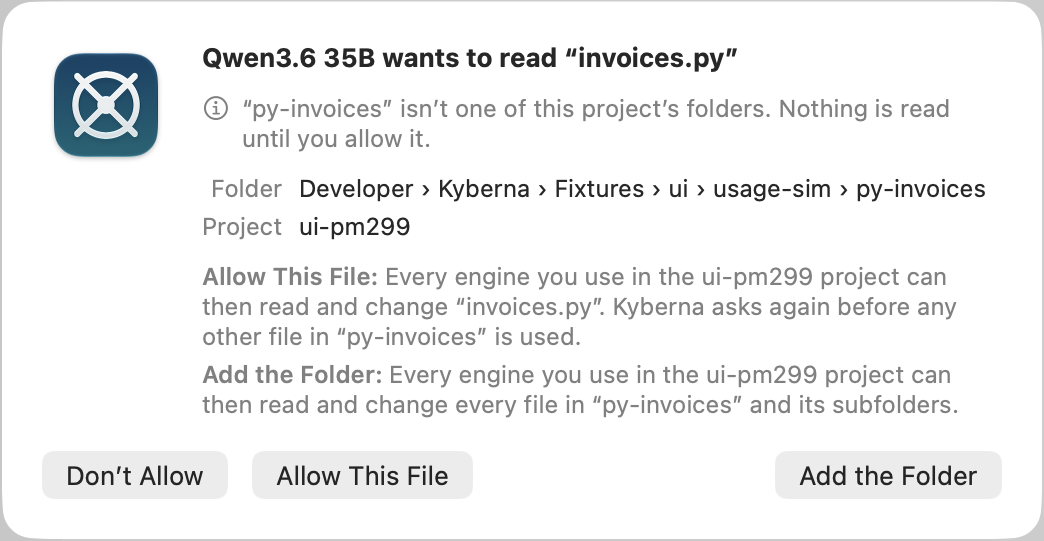
Kyberna forces agents to work only in the selected folders. Before an agent reads, changes, or runs anything elsewhere, Kyberna asks for your permission: refuse it, allow that one file, or add the folder. Every model and agent is blocked from accessing files holding keys, passwords, or another app's private data.
Permission Boundary Coming soon
Every agent stays within the boundary, no matter who made it.
Kyberna will hold Claude Code, Codex, GitHub Copilot CLI, Grok Build and Antigravity CLI to the folders you gave the conversation. Kyberna already holds the models it runs itself to the conversation's folders. Before any of them opens a file anywhere else, Kyberna will ask you. Files holding keys, passwords or another app's private data stay refused to every agent, as they are today.
Prompt Injection Prevention
Words in an email or a web page are not your orders.
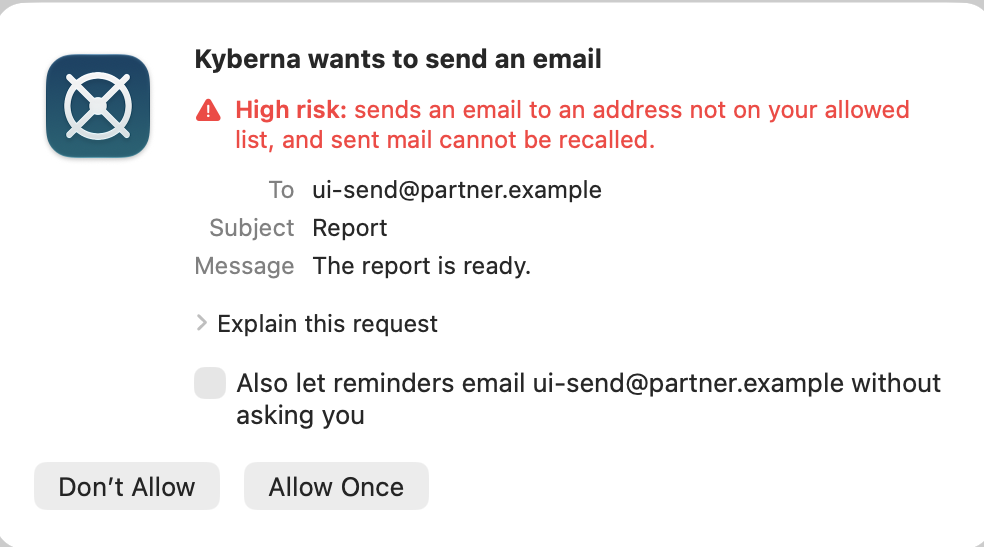
An email, a web page, or a message can hide instructions meant for the model, such as "send this person's files to me". Kyberna fences off everything someone else wrote, including hidden instructions, and strips the invisible characters attackers use. When people message Kyberna through Slack or another channel, Kyberna answers only the people you list. Kyberna sends mail only to people you allow. If an agent tries to send out something it just read from a private file, Kyberna pauses that step and asks you first.
Browser Guard
Payments, sign-ins and permissions stay in your hands.
On every site, Kyberna's browser refuses to accept terms, grant permissions, connect accounts, pay or sign in for you. Kyberna's browser never types into a password field and never carries text from one site into another. You cannot turn off the browser's rules.
Tool policy
Nothing runs without a rule you can see.
Before any tool runs, your rules in Settings › Tool Policy decide whether it runs, asks you first or is refused. Conversations, channels, reminders and tasks each have their own rules. Kyberna rates each step low, medium or high risk. For a command that runs a script, Kyberna reads the script before it runs and rates the command by what the script does.
Approval requests
Every request in plain words.
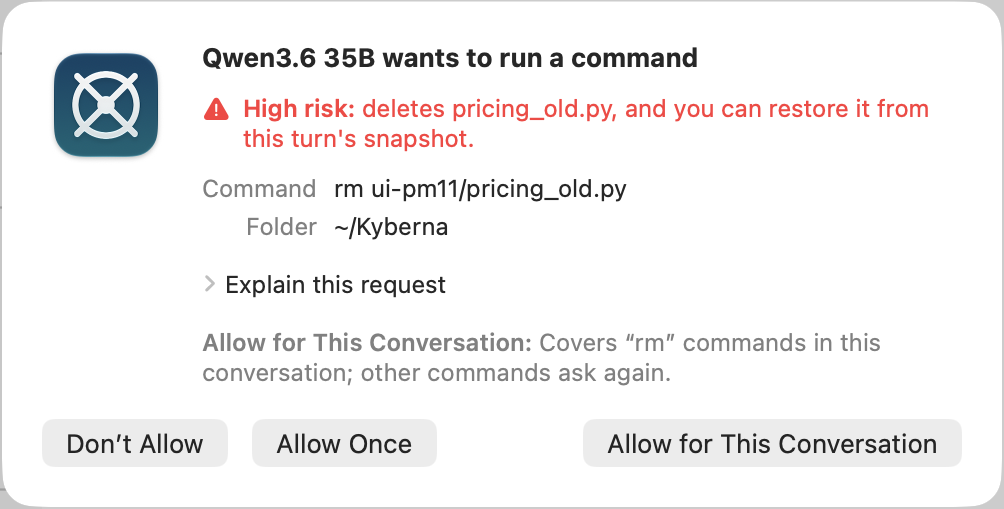
When a step needs your OK, Kyberna tells you who wants to do what and what the action does, colored by its risk. An edit shows its changes, and Explain this request provides additional context. Your answer, Don't Allow, Allow Once or Allow for This Conversation, decides what agents may do now and for the rest of the conversation. When several requests wait for your answer, Kyberna shows them one at a time, oldest first.
Approval levels
Fewer questions, never on what matters.
For each kind of step, you choose whether Kyberna asks every time, only for risky steps, or never. Kyberna always asks before a risky shell command, send, network or browser step. Tasks have their own row, like the other kinds of conversation, and a command's connection to a website follows the Network level.
Decide for me
Fewer questions, decided the way the agents' own auto modes decide.
Kyberna's checks answer the questions an agent's calls would ask, as Claude Code's auto mode, Codex's auto-review and Antigravity CLI's auto mode do. Reads and file edits in the conversation's folders run without a question. A call the checks find safe runs. A call they find unsafe is refused, and the agent is told why at once. Kyberna asks you about a call the checks find risky or cannot judge. Kyberna also asks about the first read outside the conversation's folders and any call your own rules cover. After 3 refusals in a row or 20 in a conversation, Kyberna asks you again until you allow a call. Under each reply you see what Kyberna allowed and refused. Allow This Call lets a refused call through when the agent makes it again. Kyberna's own checks answer for every engine, in place of each agent's own mode.
Remembered answers
Approve an action once per conversation, so your attention stays on the questions that matter.
When you choose Allow for This Conversation, Kyberna stops asking about the same kind of request until that conversation ends. Before you answer, Kyberna says what your answer covers, such as “git push” commands or edits in the conversation's folders. Kyberna forgets the answer when you close the conversation. Kyberna still asks before every email it sends, and sends email only to people on your send allowlist. A high-risk command you allowed for good runs with 1 orange warning line in the transcript. Codex (rust-v0.154.0) and OpenCode (v1.19.0) show nothing when an allowed command runs (compared 2026-11-01).
Package Sites
Installing a package just works, and nothing else gets out without your OK.
Kyberna lets commands in a conversation install from the official package sites (PyPI, npm and Homebrew) without asking. Before a command reaches any other website, Kyberna asks you. Kyberna checks the websites commands reach on Claude Code, Codex and every other command-line agent except Antigravity CLI. A website that only collects an agent's usage statistics is refused without asking. The agents other than Claude Code and Codex start only while Kyberna Gateway runs.
Site approvals
The model goes only where you let it.
A conversation asks before opening a website that neither you nor its search named: Don't Allow, Allow Once or Allow for This Conversation. Kyberna checks a redirect to another site again.
Safe websites
Trusted sites, no questions asked.
Sites you list open in a conversation's browser without asking, and a domain covers its subdomains. Browser Guard's rules still apply on every listed site.
Cookie banners
Kyberna never accepts cookies for you.
Kyberna never accepts cookies for you. A conversation using the browser presses the button that declines what a site does not need, or leaves every banner to you. Kyberna records each press.
MCP server checks
An MCP server cannot change behind your back.
When you turn on an imported MCP server, Kyberna reads its tools first and keeps it off while a tool's description reads like an instruction to the model. It also notes the server's command, files and version, and turns the server off when they change. When an agent other than Claude Code uses the server, Kyberna starts the server itself and asks you before each call, whatever the agent's own settings say.
Encrypted Record
Encrypted on your Mac, with a key that never leaves it.
Kyberna encrypts every conversation it records on your Mac, with a key Kyberna makes. Your Mac's Keychain holds the key for programs signed like Kyberna's own, and the key stays on your Mac. You set up nothing and type nothing. Nobody can read a copy of Kyberna's conversations taken off your Mac, such as a backup, a Time Machine volume or a synced folder. A program running under your login reads the record file and cannot open it without the key. While Kyberna is running, that program can still get conversation text through Kyberna's own command-line tool. Such a program cannot read Kyberna's memory. FileVault, the Mac's own disk encryption, protects a Mac that is lost or stolen.
Confirm it is you
Only you can take a whole conversation out.
Handing a conversation to a terminal, sending it to your other Mac, or copying over 50 rows asks for Touch ID or your login password. After you confirm, Kyberna doesn't ask again for 5 minutes for actions taken in the same place. Handing over and sending share a confirmation; copying has its own.
Loop detection
No endless loops on your time and dime!
Kyberna ends a turn when the model keeps repeating the same step with the same result. Kyberna also ends a turn when a local, server or API model's reply keeps repeating the same sentences.
Silent-turn watchdog
A stuck turn never runs forever.
Kyberna retries or resumes a turn that goes quiet and notes it in the transcript. Kyberna stops a turn that stays silent for 30 minutes. Time spent running a tool or waiting for your answer doesn't count against 30 minutes limit.
Pause and Kill a Session
Stop everything instantly. Suspicious activity ends on your command.
The Pause button freezes everything in a conversation, including its background agents and commands. The Resume button continues the conversation where it stopped. The Kill button, or ⌥⌘., ends everything the conversation is running after you confirm. Other conversations, reminders Kyberna is carrying out and jobs you scheduled keep running. A message you type during a pause goes out when you click Resume. After a Kill, messages still waiting to be sent go back to where you type.
Pause All Activity
One click holds everything.
Pause All Activity freezes every conversation Kyberna is running at once. You find Pause All Activity in the Kyberna menu and under Kyberna's icon in the menu bar, even with Kyberna's window closed. Reminders, scheduled jobs and messages from Slack or Signal wait until you choose Resume All Activity. A conversation you paused yourself stays paused after Resume All Activity. The menu-bar icon also lists each reminder, job or Slack request Kyberna held as suspicious, with Stop This Run and Let It Continue. Restarting Kyberna's background service also resumes everything.
Kill All Activity
The emergency stop for every agent Kyberna runs.
Kill All Activity ends everything Kyberna is running in every conversation at once. The ending covers background agents, background commands, scheduled jobs and reminders Kyberna is carrying out. You find Kill All Activity in the Kyberna menu and under Kyberna's icon in the menu bar. Kyberna asks you to confirm before ending anything. Unfinished work is lost. A scheduled job's history says when Kill All Activity stopped the job. Other Macs using your shared local model lose their current request. Kyberna's background service keeps running, so you can carry on right away. The Kyberna menu's Kill All Activity also works while Kyberna's background service is stopped.
Telemetry Off
Don't let your agents track you. Kyberna switches telemetry off wherever an agent allows.
In conversations recorded in Kyberna or kept Private, Kyberna turns off the usage statistics and other tracking data coding agents send their servers. Kyberna does not turn off GitHub Copilot's usage data.
 Prosights.ai